📘 Confluence SOPs
When teams build and maintain a design system at scale, they quickly discover that documentation alone is not enough. Simply describing components and patterns is insufficient. Without structure and shared practices, even well‑designed libraries can lose alignment and clarity over time. The Cumulus UI Library solves this by integrating Confluence‑based Standard Operating Procedures (SOPs) that define how contributions are proposed, reviewed, and finalized.
These SOPs form a clear governance layer around the creative work of design and development. They complement, rather than replace, your technical documentation by embedding structured workflows directly into your processes. They guide design leads, contributors, accessibility reviewers, and onboarding engineers through repeatable steps so every addition meets the same high standard.
This page introduces those SOPs in detail. Some focus on how new components pass through approval gates. Others explain how documentation remains synchronized across Confluence, Storybook, and MDX. Together, they create a blueprint that allows teams to scale without losing consistency or quality.
These are not loose guidelines. They are deliberate, enforceable workflows that preserve design token integrity, prevent duplicate components, and ensure that every change strengthens the system. This is where creativity meets operational discipline and where contributors can work confidently knowing their efforts will align with the larger library.
Overview of the Confluence SOPs
The Confluence SOPs act as a command center for procedural knowledge in the Cumulus UI Library. They explain not just what to do but why each step matters. Every page is cross‑referenced with live assets, so you always know where a component stands and what action is next. Consider this section your navigational map whenever you need to contribute or review.
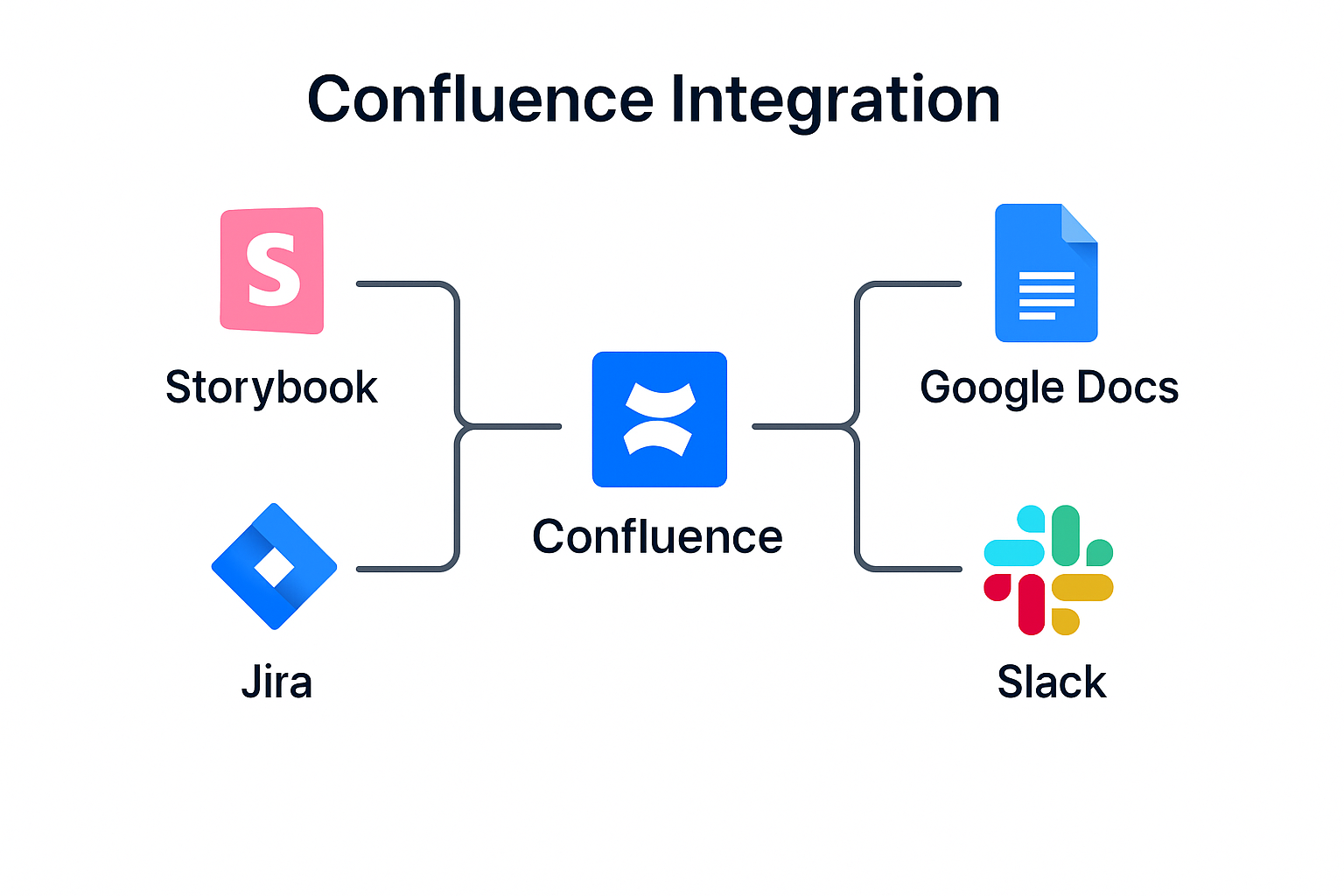
The figure above shows how these SOPs connect. Component submissions flow into approval workflows, documentation links to Connected Docs, and every contribution references the Component Contribution SOP. Use this diagram as a quick reference when planning or reviewing work—it shows the entire system at a glance.
Component Lifecycle Visual
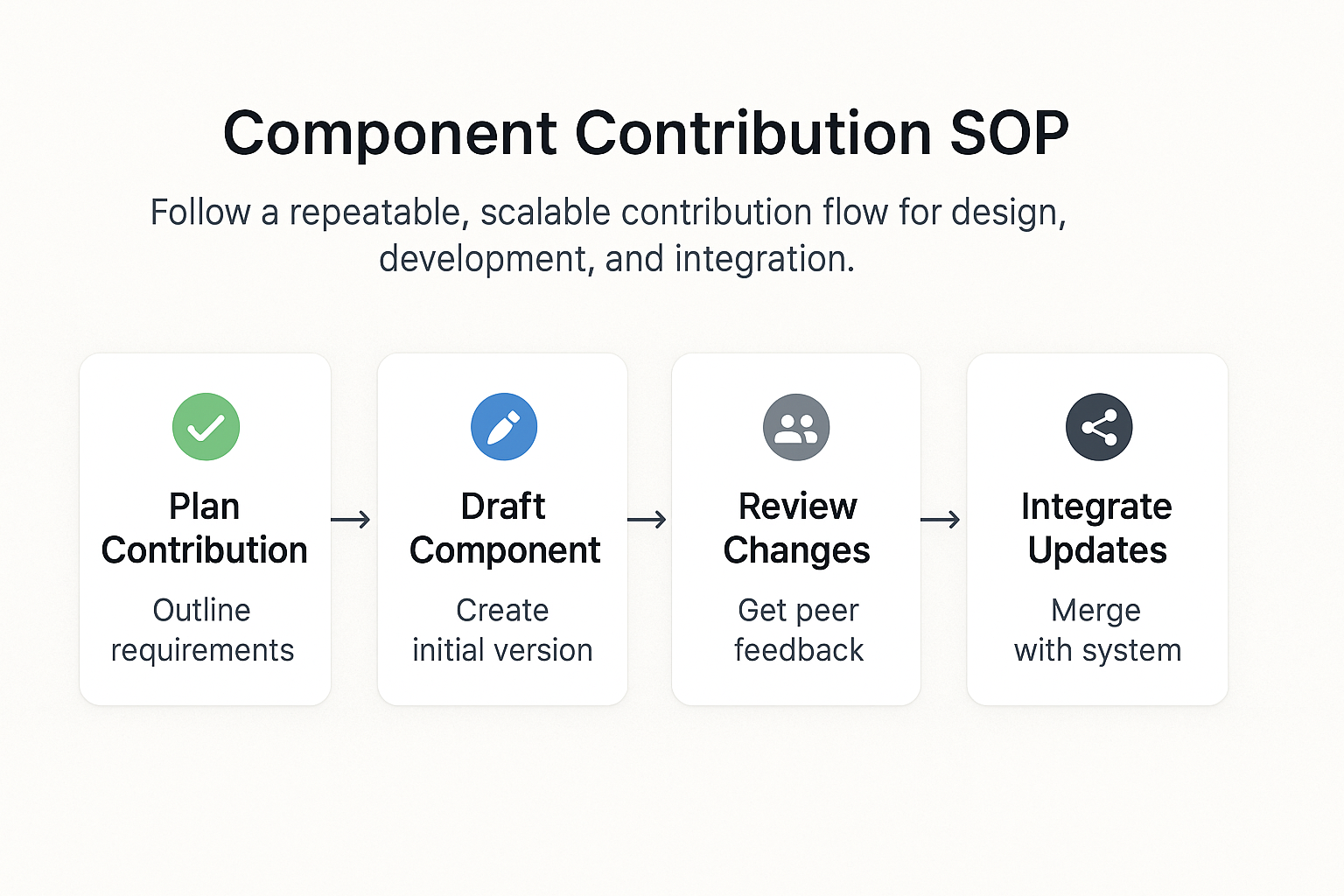
This second diagram shows a component’s journey through planning, drafting, review, and integration. Each stage is deliberately connected, reflecting how design validation, engineering checks, and accessibility reviews are integrated early rather than added as afterthoughts.
Use this visual as a reminder that each stage supports the next. It reinforces good habits and gives you a mental map of how to progress without skipping critical steps.
Key Steps
- Locate the SOP that matches the workflow you are currently working on
- Review diagrams and evaluation criteria in Confluence before you begin
- Follow the documented process prior to submitting or merging components
- Record all decisions, revisions, and approvals within Confluence for traceability
- Return to this page whenever you branch into a new workflow or revisit a previous step
Refer to these steps each time you engage with the library. Keeping them in mind will ensure your work fits the overall system and reduces rework later.
Recap
The Confluence SOPs page serves as your foundation for understanding how contributions are reviewed, documented, and approved. It provides a clear entry point into the broader workflows that keep the library scalable, consistent, and trustworthy.
Approach these SOPs as tools that empower you. They remove uncertainty and let you focus on building high‑quality components rather than worrying about procedural details. Following them ensures your contributions fit naturally into the library and remain valuable over time.
View in Confluence
For the full, canonical version of this SOP with live comments and embedded assets, visit it directly in Confluence:
View Component Contribution SOP in Confluence
What’s Next
You have now seen how the Confluence SOPs connect at a high level. The next step is to dive into the Approval Flows. In that section you will learn how each submission moves from review to merge with clear phases and reviewer responsibilities.
Continue to Approval Flows →